Publishing an ebook need not be slow or mysterious. This guide shows you five concrete steps to move from a finished manuscript to a live, discoverable ebook on Ebokio Publishing (https://publishing.ebokio.com/). Each step includes exact actions, file settings and expected timings so you can be live and earning as quickly as possible.
Why choose Ebokio Publishing?
Ebokio Publishing is a direct-publishing platform that puts authors in control. You keep rights — the platform is non-exclusive — and you choose how to sell elsewhere. Ebokio offers built-in tools (AI Cover Studio, metadata autofill, a writing co‑pilot), a reader with text‑to‑speech and “Ask This Book”, and a human review for each title. All platform facts in this article are sourced from Ebokio’s pages: features, pricing and support at https://publishing.ebokio.com/.
Key numbers to remember: royalty shares are 70% on the Free plan, 80% on Premium (£13.99/month) and 90% on Pro (£19.99/month). Payouts are by bank transfer at the end of the month two months after earning; the minimum payable balance is £30. See pricing for full details: https://publishing.ebokio.com/pricing.
Overview — the five-step workflow
Follow these five moves: 1) Prepare your manuscript; 2) Upload to Ebokio (EPUB or DOCX); 3) Design cover and metadata with EBK tools; 4) Human review and go live; 5) Earn, track and iterate. Each stage ties to a concrete action you can complete in hours or days, not weeks.
Step 1 — Prepare: finish and format your manuscript
Goal: deliver a clean EPUB or DOCX that exports a reader-ready ebook. Ebokio accepts EPUB and DOCX uploads and auto-detects chapters, headings and footnotes to generate a clean reading edition.
- Manuscript basics: finalise text, fix line breaks and remove pagination. Use styles for chapter titles (Heading 1) and subheads (Heading 2).
- Formatting checklist: consistent fonts, plain character encoding (UTF-8), images sized to 1400–2500px width for good reader quality, and embedded image alt text for accessibility.
- File choice: if you want exact layout control, export an EPUB from your editor. If you prefer a simpler route, upload a DOCX — Ebokio will convert it and detect structure.
- Front/back matter: include title page, copyright, short author bio, and a short blurb or contents page for the store listing.
If you need a reference for the five-step workflow, Reedsy’s guide is a useful parallel for formatting tasks: reedsy.com.
Step 2 — Upload: files, settings and initial metadata
Goal: get your manuscript into Ebokio and let the platform scan it. Sign into https://publishing.ebokio.com/ and start a new title. The upload is straightforward: EPUB or DOCX.
- Upload the file and let Ebokio detect chapters and headings. The platform auto-parses structure and flags common issues.
- Choose language, primary market and price. Ebokio calculates net receipts (sale price minus the reader’s VAT and payment fee) and shows your royalty share depending on plan — 70% (Free), 80% (Premium), 90% (Pro). See plan details at https://publishing.ebokio.com/pricing.
- Decide on ISBNs: Ebokio does not issue ISBNs. Use your own if you require one; otherwise publish without an ISBN.
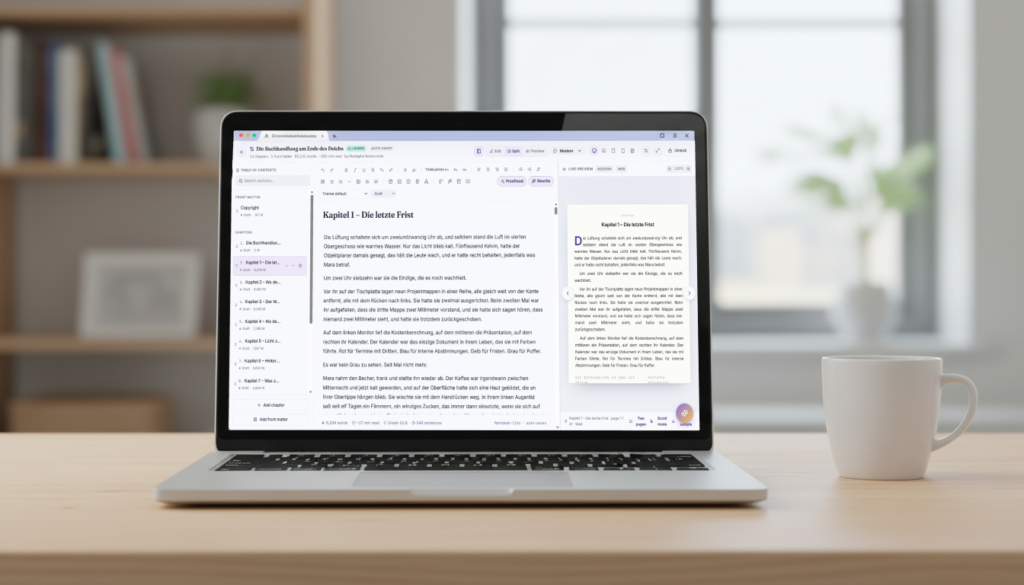
- Save a draft and preview in the built-in reader. The reader export mirrors the final product and shows how chapter navigation and images will appear.
Step 3 — Design: cover, metadata and discoverability
Goal: craft a strong cover and metadata set that the Ebokio store and AI Librarian can use for discovery. Ebokio provides AI Cover Studio and metadata autofill to speed the process.
- Cover: generate ideas with AI Cover Studio or upload your own. Premium and Pro plans include more AI cover generations per month; the Free plan allows up to 10 AI cover generations monthly (check features for current limits at https://publishing.ebokio.com/features).
- Metadata: use the metadata autofill to create a tight description, keywords and subject categories. Ebokio’s AI tools suggest metadata optimised for its AI Librarian and in‑store discovery.
- Optimise for discovery: two small changes that help the AI Librarian and search engines — write a concise 120–160 character blurb that includes the main genre and one reader benefit; choose three accurate categories rather than broad ones.
- Price strategy: test two price points over time and monitor sales in the dashboard. Because Ebokio shows net receipts after VAT and fees, you can calculate the exact take home by multiplying net receipts by your royalty rate (70%/80%/90%).
Tip: treat the built-in reader features (text‑to‑speech, “Ask This Book”) as marketing assets. Mention them in your description: readers using these features tend to spend more time in-book, which helps reviews and algorithmic recommendations.
Step 4 — Review and go live
Goal: pass the human review and appear in the Ebokio store with a fully indexable product page. Every book uploaded to Ebokio is reviewed by a real person.
- Review SLAs: Free plan titles are typically reviewed in 4–6 working days; Premium and Pro titles usually clear review within 24 hours. Plan details are at https://publishing.ebokio.com/pricing.
- What reviewers check: formatting errors, cover legibility, accurate metadata and basic content policy compliance. Fix minor issues quickly and resubmit; Ebokio reviewers re-check the corrected files.
- Live listing: once approved, your book appears on the Ebokio storefront with a crawlable product page. That page feeds the AI Librarian and site shelves so discovery begins immediately.
Step 5 — Earn, track and iterate
Goal: convert visitors into readers and measure earnings. Ebokio provides a dashboard showing net receipts, itemised fees and royalty calculations so you know exactly what you’ll be paid.
- Payouts: earnings are paid by bank transfer at the end of the month two months after they are earned. The minimum payout is £30; smaller balances roll forward until you reach the threshold. Full payout details are available at https://publishing.ebokio.com/how-it-works.
- Royalty math example: if a book sells for £4.99 and the reader’s VAT plus payment fee reduce the gross price to £4.00 net receipts, your take would be £2.80 on the Free plan (70% of £4.00), £3.20 on Premium (80%), or £3.60 on Pro (90%).
- Use data: monitor reads, time in book (from the built-in reader), and conversion of product-page visits to purchases. Adjust price, update cover variants, or tweak metadata and re-promote.
- Promotion tools: run price promotions and share direct product links. Ebokio’s discoverability features (curated shelves, AI Librarian) respond to increased reads and good reviews, not just external traffic.
How Ebokio compares to other platforms (brief)
Amazon KDP uses fixed royalty bands of 35% or 70% under its conditions. Ebokio’s model offers 70–90% of net receipts depending on plan, which can deliver higher effective take for many price points. For platform details, see Amazon’s help pages: kdp.amazon.com, and Ebokio’s pricing: publishing.ebokio.com/pricing.
Beyond royalties, Ebokio bundles integrated AI tools and reader features that support discovery and retention, while promising non-exclusivity so you can sell the same book elsewhere. This combination is designed for authors who want direct storefront control plus modern discovery mechanics.
Checklist — get live in 48 hours (paid tier) or one week (Free)
- Manuscript: final EPUB or DOCX, with styled headings and images optimised.
- Cover: AI-generated or uploaded high-res design.
- Metadata: short blurb, three categories, five–eight keywords.
- Pricing: choose a price and note the net receipts calculation shown by Ebokio.
- Publish settings: language, territories, ISBN decision (optional).
- Plan choice: remain on Free (70% royalties) or upgrade to Premium (£13.99/month, 80%) or Pro (£19.99/month, 90%) for faster review and higher royalties: https://publishing.ebokio.com/pricing.
Frequently asked questions
How long does it take to publish an ebook on Ebokio?
Review times vary by plan. Free plan submissions are typically reviewed in 4–6 working days. Premium and Pro submissions are usually reviewed within 24 hours. Once approved, your book goes live immediately on the Ebokio storefront. For plan specifics see https://publishing.ebokio.com/pricing.
What file formats can I upload to Ebokio?
Ebokio accepts EPUB and DOCX files. The platform auto-detects chapters, headings and footnotes and produces reader-ready editions. You can preview the built-in reader before you submit for review. See upload guidance at https://publishing.ebokio.com/features.
What royalties will I receive and how are payouts handled?
Royalty shares depend on your plan: Free 70% of net receipts, Premium 80%, Pro 90% (net receipts = sale price minus the reader’s VAT and payment fee). Payouts are transferred by bank at the end of the month two months after the earnings month; the minimum payable balance is £30. See full payout and plan details at https://publishing.ebokio.com/pricing and https://publishing.ebokio.com/how-it-works.
Can I sell the same book elsewhere if I publish on Ebokio?
Yes. Ebokio is non-exclusive — you keep your rights and may publish the same work on other stores or platforms. This lets you combine Ebokio’s direct-sales features with other distribution if you wish. Details are on Ebokio’s site: https://publishing.ebokio.com/.
Does Ebokio provide cover design and AI tools, and is my manuscript used to train AI?
Ebokio provides optional AI tools such as AI Cover Studio, metadata autofill and a writing co‑pilot. These tools are optional; manuscripts are never used to train Ebokio’s AI models. For the full feature list visit https://publishing.ebokio.com/features.