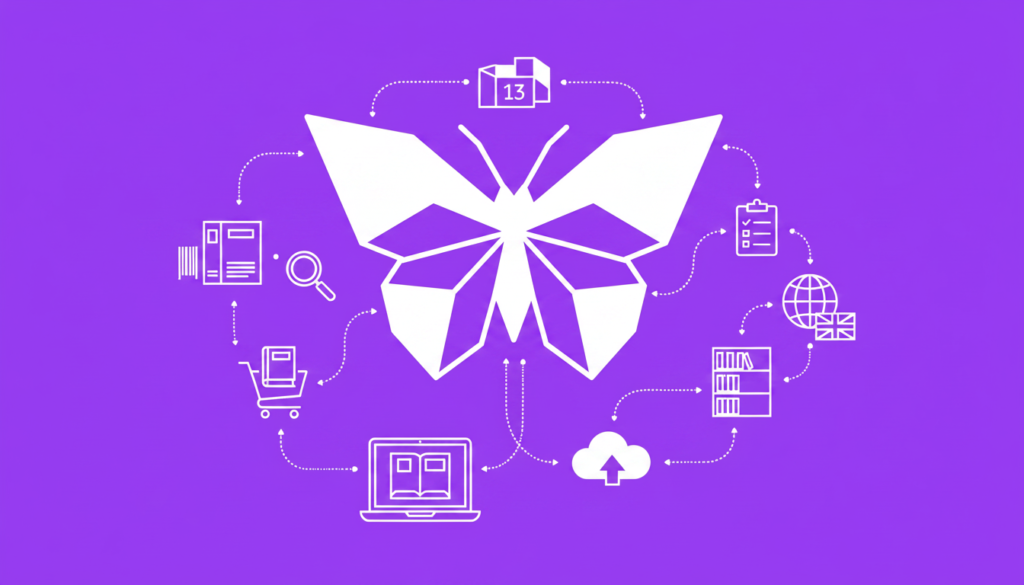
An ISBN is the industry identifier that lets retailers, libraries and catalogues recognise a specific edition of a book. If you plan to sell or distribute a title widely — in print, as an EPUB, or as an audiobook — understanding ISBNs and how to handle their metadata gives you control over discoverability and long‑term sales.
What is an ISBN?
ISBN stands for International Standard Book Number. Since 2007 new ISBNs use 13 digits (ISBN‑13) and are compatible with EAN‑13 barcodes; older books may show a 10‑digit ISBN (ISBN‑10). ISBN.org explains the standard and structure.
Structurally an ISBN contains a prefix (usually 978 or 979), a group identifier (country or language area), a publisher element, a title element and a check digit. That combination identifies a specific publisher’s edition and format of a monographic work.
What does an ISBN do and why it matters
- Identifies a specific edition/format: each format — paperback, hardback, EPUB, audiobook — requires its own ISBN. Industry guidance is clear on this.
- Links title to publisher metadata: the publisher element allows retailers and libraries to associate a book with the publisher contact, helping ordering and returns.
- Feeds discovery systems: accurate ISBN metadata is consumed by retailers, library catalogues and search engines; clean metadata improves discoverability and reporting.
- Enables sales reporting and library procurement: wholesalers and libraries expect an ISBN for ordering and for catalogue records.
Key point: an ISBN names the edition and format, not the intellectual work. A revised edition or a new format needs its own ISBN — planning this early keeps metadata clean.
Who issues ISBNs in the UK and how to buy one
The UK & Ireland national ISBN agency is run by Nielsen. UK publishers normally purchase ISBNs from the Nielsen ISBN Store; check Nielsen for current pricing and buying options. Nielsen ISBN Store FAQ contains up‑to‑date details.
Some global retailers and aggregators supply “free” ISBNs when you publish via their service. Those ISBNs commonly list the retailer or aggregator as the publisher. That can save money at launch but affects publisher metadata and can limit how your title appears to other trade channels.
Should you buy your own ISBN or use a platform ISBN?
Decide on control versus convenience. Buying your own ISBN keeps your imprint listed as the publisher in metadata and in trade databases. Using a platform ISBN is faster and cheaper up front but typically lists the platform as publisher.
If you publish through ebokio Publishing (https://publishing.ebokio.com/), you keep rights because the platform is non‑exclusive and authors retain publisher control. Ebokio does not issue ISBNs; it accepts EPUB or DOCX uploads and full publisher‑owned metadata via the upload workflow and metadata autofill features. This lets you pair your own ISBNs with ebokio’s storefront and discovery systems without losing publisher credit.
Types of ISBNs and common cases
- ISBN‑13: The current standard for new books; used for print and electronic formats. (See ISBN.org.)
- ISBN‑10: Appears on older publications; still accepted in some metadata records but new allocations use ISBN‑13.
- Publisher‑owned ISBN: Bought from a national agency (Nielsen in the UK). Publisher name appears in records and feeds.
- Platform/aggregator ISBN: Issued by a platform when you publish through them. The platform is usually listed as the publisher. This is common with some aggregators and retailer services.
How an ISBN affects distribution, sales reporting and libraries
Retailers and libraries use ISBNs to match catalogue records, orders and returns. If your ISBN points to accurate publisher metadata, wholesalers and library suppliers can process your title correctly. Incorrect or inconsistent metadata leads to listing errors, missed orders and poor reporting.
Ebokio creates crawlable product pages in its store (https://ebokio.com/ebooks) and feeds metadata into trade channels. Use ebokio’s metadata autofill and the Studio editor (EPUB export) to deliver clean metadata and files that feed discovery systems.
Practical checklist: assigning ISBNs for a multi‑format launch
- Decide publisher ownership: buy ISBNs from Nielsen if you want your imprint listed; otherwise choose a platform ISBN with eyes open. Nielsen.
- Prepare separate ISBN for each format: paperback, hardback, EPUB and audiobook each get a unique ISBN. Source.
- Complete metadata first: title, subtitle, series data, edition statement, contributors and publisher name must match the ISBN record before distribution.
- Upload clean EPUB or DOCX to ebokio and use metadata autofill; run the Studio editor to export a validated EPUB if needed.
- Choose ebokio plan for review speed: Free reviews are typically 4–6 working days; Premium/Pro under 24 hours. For faster publishing and higher royalties, compare plans at https://publishing.ebokio.com/pricing.
- Check the product page: confirm the ISBN, metadata and file links on your ebokio product page (crawlable pages help web search engines index your title).
- Monitor reporting and payments: ebokio pays monthly earnings at the end of the month two months later by bank transfer; there is a £30 minimum payout and smaller balances roll forward.
Tip: Using your own ISBNs with ebokio combines metadata control with ebokio’s non‑exclusive terms and discoverable storefront. You keep rights and publisher credit while benefiting from human review and crawlable product pages.
Common pitfalls and how to avoid them
- Mixing metadata: don’t change the publisher name after assigning an ISBN. Consistency matters for wholesalers and library catalogues.
- Reusing ISBNs: never reuse an ISBN for a different format or substantial revision; assign a new ISBN for new editions.
- Assuming every store needs an ISBN: some platforms (e.g. certain retailer services) let you list without one — but that can limit trade distribution and library access. Check each channel’s policy before you decide.
Where to learn more and take action
- Buy ISBNs for the UK from the Nielsen ISBN Store: nielsenisbnstore.com.
- Read official ISBN guidance: ISBN.org.
- If you’re ready to upload and manage metadata, see how ebokio Publishing works and what features help with metadata and files: How it works, Features, and check plans at Pricing.
Frequently asked questions
What is an ISBN and why do I need one?
An ISBN (International Standard Book Number) is a unique identifier for a book edition and format. You need one if you want wholesalers, libraries and many retailers to catalogue, order and accurately report sales for that specific edition; each format requires its own ISBN. See ISBN.org for the standard.
Who issues ISBNs in the UK and how much do they cost?
The UK & Ireland national ISBN agency is Nielsen; UK publishers normally buy ISBNs from the Nielsen ISBN Store. Prices change, so check Nielsen for current costs and options to buy single ISBNs or blocks: nielsenisbnstore.com.
Do I need a separate ISBN for paperback, hardback, ebook and audiobook?
Yes. Each distinct format and each new edition requires its own ISBN. That rule is enforced by retailers and aggregators to avoid confusion in ordering and reporting. See industry guidance at ISBNServices.
Can I use a free ISBN from a retailer instead of buying my own?
You can, but free platform ISBNs usually list the platform as publisher. That affects publisher metadata shown to retailers and libraries. If you want your imprint to appear as publisher and retain full control over metadata, buy your own ISBN from Nielsen and use it when you upload to ebokio Publishing.
Does ebokio Publishing provide ISBNs or help with metadata?
Ebokio does not issue ISBNs. The platform accepts EPUB or DOCX uploads, offers metadata autofill and tools like the Studio editor and AI Cover Studio to prepare files and metadata for publication. Ebokio’s review times are typically 4–6 working days on the Free plan and under 24 hours on Premium/Pro; check features at publishing.ebokio.com/features.